
When this section is included within the main body of the Report Builder, all of the plan charges related text and tables are removed from the individual review and recommendation sections and consolidated within this one section.
There are two ways this section can be included:
1. Manually, on a report-by-report basis, as required.
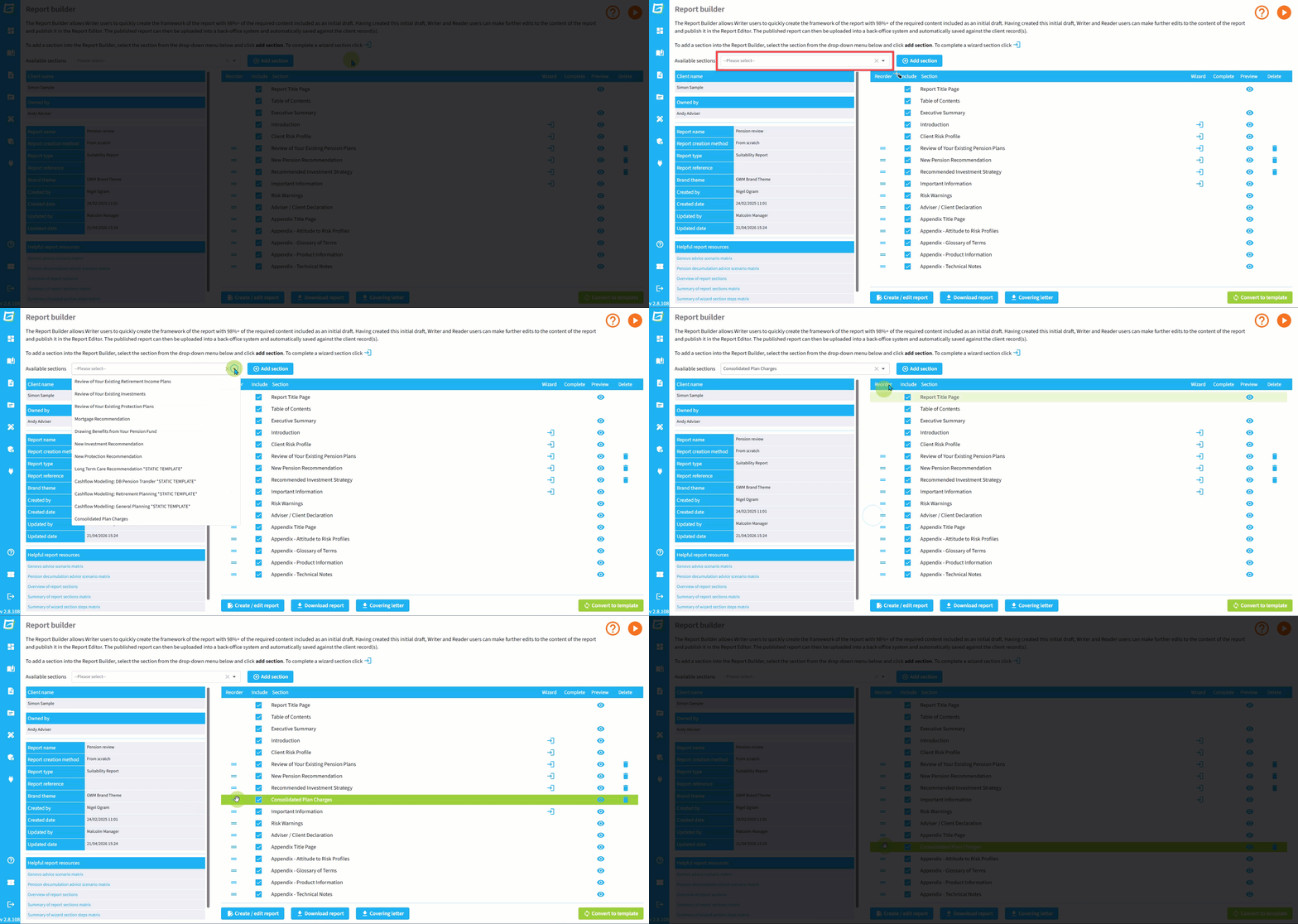
A Writer user can simply select the section from the 'Available sections' drop down, and click Add section.
By default, the section will be added immediately above the Important Information section, but it can be positioned anywhere within the Report Builder using the drag and drop reorder drag handles.
For example, when recommending replacement business, you may choose to include this section just before the Appendix - Plan Comparison section in the appendix of the report. This will reduce the length of the main body of the report and help to focus the reader on the reasons for your recommendations, whilst consolidating all charges information in one dedicated section in the appendix of your report.
2. Automatically included within the main body of the Report Builder
It is also possible to have the section automatically included within your reports as standard. To do this, use the toggle button in Account admin > Account settings.
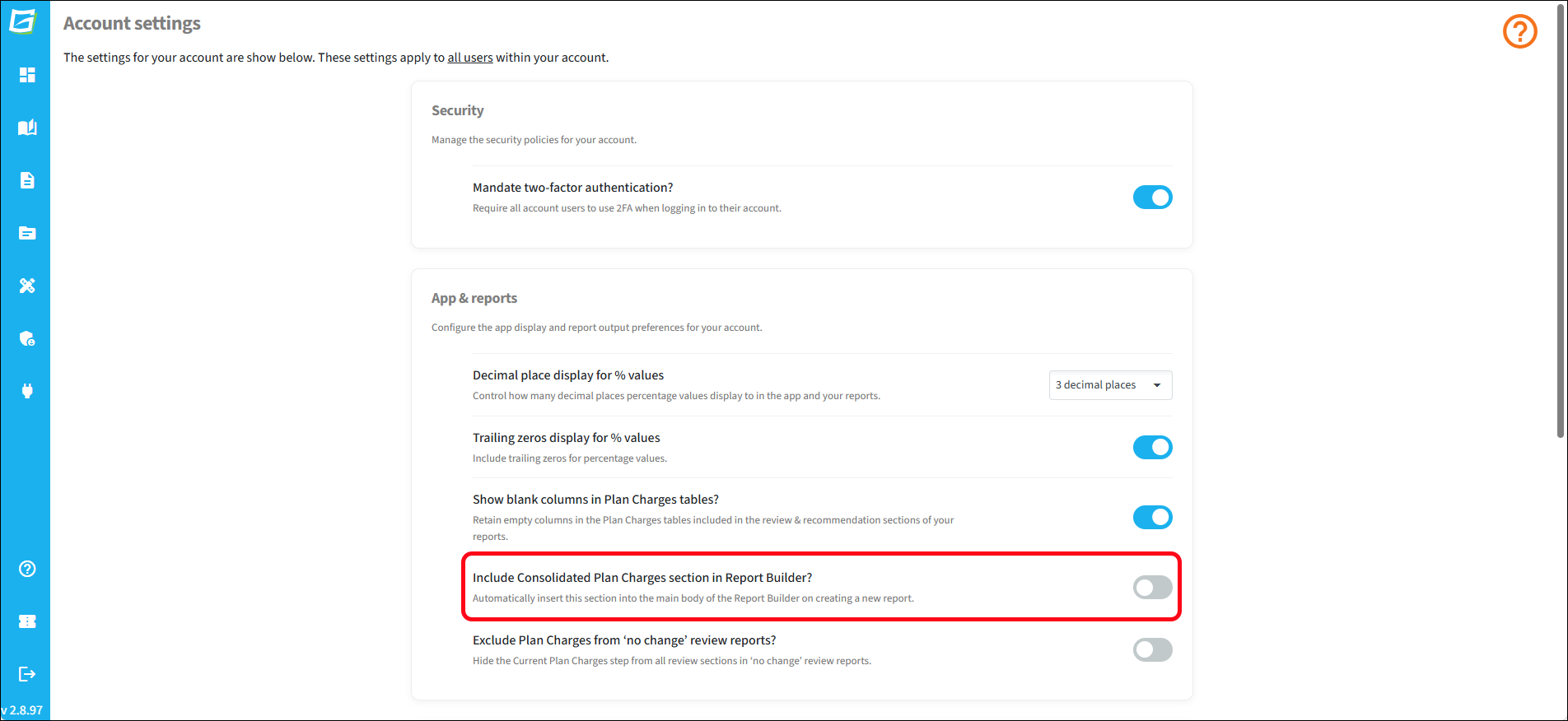
Once this option is selected, this section will automatically appear in the Report Builder immediately after the Appendix Title Page for all new reports. It can be manually re-positioned as required, using the drag and drop reorder drag handles.
The section can also be manually removed from the Report Builder using the delete icon. This reinstates the section in the 'Available sections' drop down.