
As standard, Genovo displays:
- percentage values to 3 decimal places (dp), and
- monetary values to 2 dp.
For percentage values, this means if you enter 11, 11.1, 11.11 or 11.111, Genovo will add trailing zeros to the input value and these will show as 11.000%, 11.100%, 11.110% and 11.111% respectively.
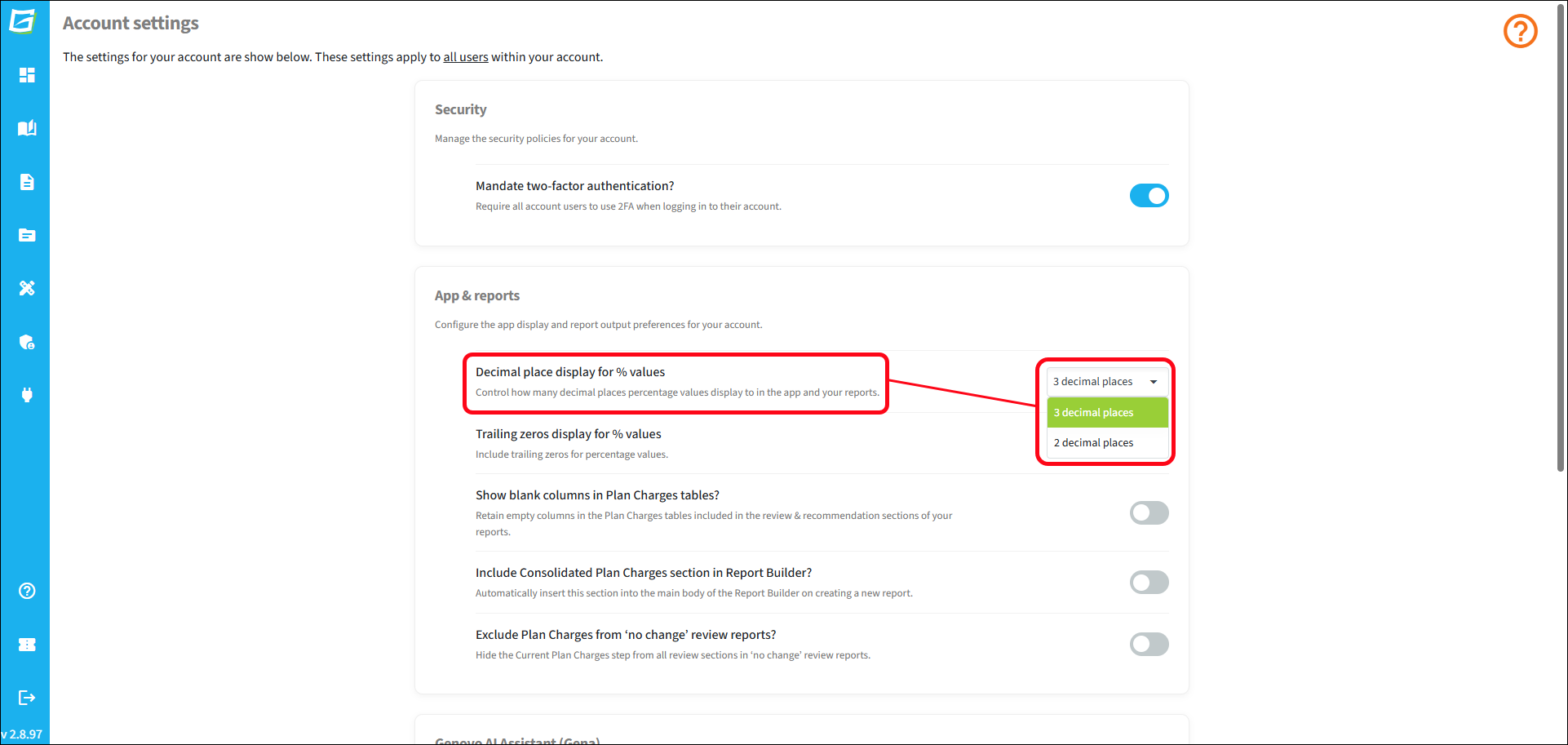
For monetary values the decimal place display is fixed at 2dp. However, it is possible for account admins to select whether percentage values display to 3dp or 2dp. This setting will apply to all users of the account.
Once changed, this means that if you enter 11, 11.1, or 11.11, this will come out as 11.00%, 11.10%, 11.11% respectively. If you enter 11.111, it will be rounded to 11.11%
You'll find this setting is in Account admin > Account settings. To change the setting, select the preferred value from the drop down.
It is also possible to disable the inclusion of trailing zeros. You'll find more information about how to do this in this article.