
Predictive Benefits & Features involves harnessing the power of Genovo's AI Assistant - Gena - to offer up suggested plan benefits and features for a client's existing plan within the Plan Benefits & Features step, on adding the plan into a review section in Report Builder.
Activating Predictive Benefits & Features
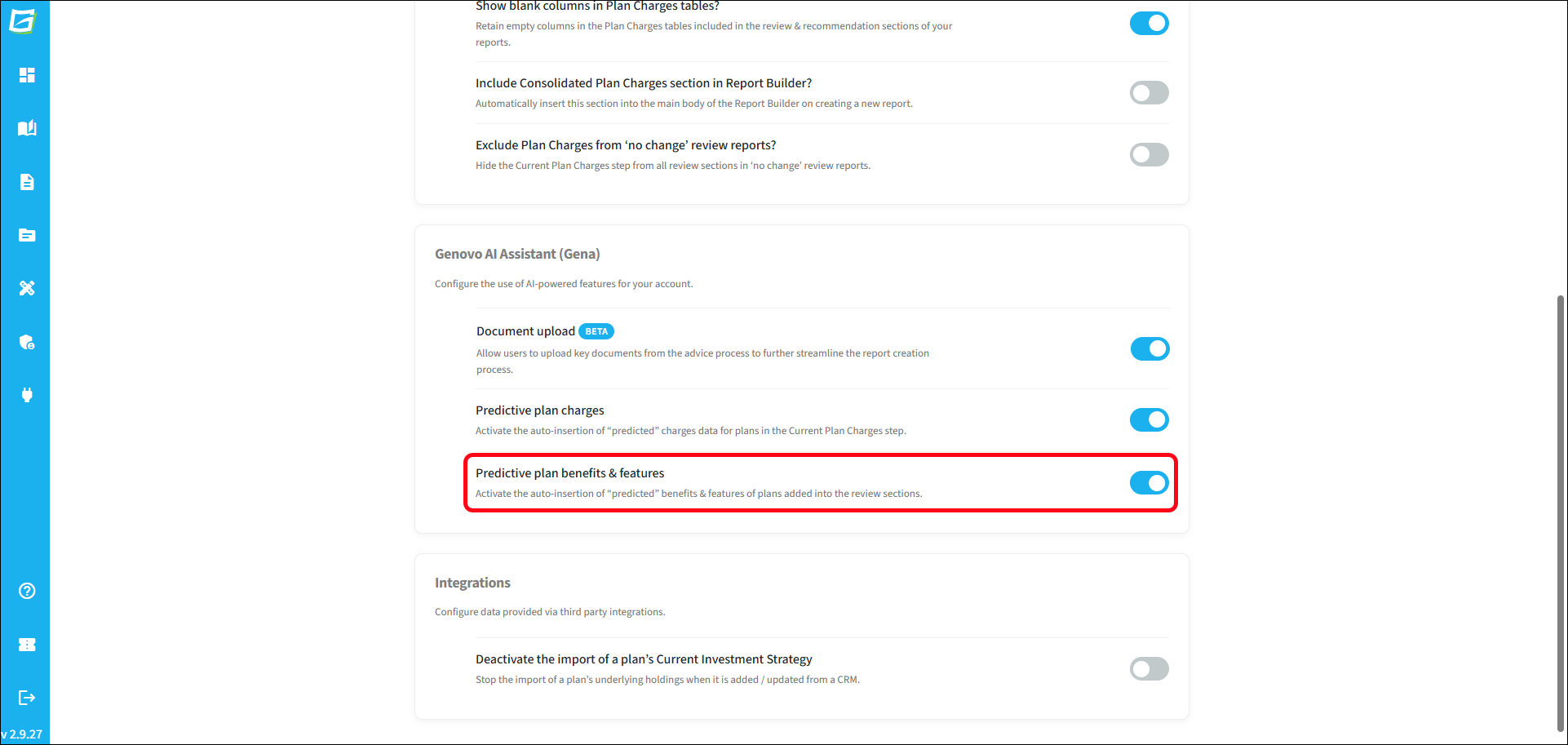
Predictive Benefits & Features needs to be activated by an account admin for all Writer users within your account via Account Admin > Account settings. It is set to inactive by default.
What are the benefits?
Manually populating the Benefits & Features step of a review section is simple and straightforward, but locating the information required can be time consuming. Predictive Benefits & Features can save a considerable amount of time by re-using the data that was entered for the same plan by you (or another user within your account) in a previously created report.
Are there any disadvantages?
There is no guarantee that the benefits & features information imported from a previous report is still 100% accurate. Since the previous report, the plan's or the provider's feature set may have changed, and you should therefore always check that the imported benefits and features are correct.
Which sections does Predictive Benefits & Features apply to?
Predictive Benefits & Features can be used to populate the Plan Benefits & Features step of the following sections:
- Review of Existing Uncrystallised Pensions
- Review of Existing Crystallised Pensions
- Review of Existing Protection Plans
How does Predictive Benefits & Features work?
As soon as a plan is entered into a review section, either manually or via an integrated CRM, Gena will then search your account to see if the same plan has been added to a previous report.
It is worth bearing in mind that the search is restricted to the clients and reports that the logged-in user can view in Genovo. Therefore, if View all users' clients / reports hasn't been activated for the user, this search will be limited to the reports within their own user account, and may, as a result, be less effective.
Gena searches all previous reports and retrieves plan benefits and features data from the most recent report. However, it is worth bearing in mind that for reports containing multiple plans, the data for each plan may be sourced from multiple different reports.
Additionally, if an existing plan is edited in the Plan Summary step, the Predictive Benefits & Features search will be re-run.
Where is the data imported from?
If the search does find a match for the plan, Gena will look to retrieve the data from the Benefits & Features step of the previous report. If a match can be found in multiple previous reports, Gena uses the most recently-created report.
How will I know when plan charges have been imported from a previous report?
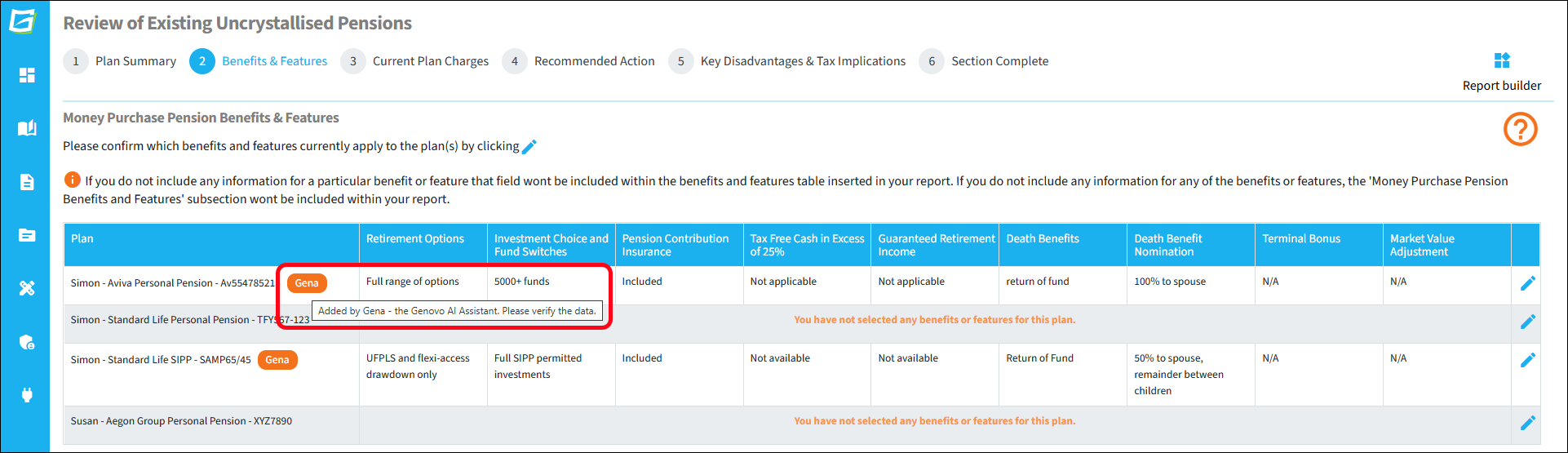
On visiting the Benefits & Features step, you'll also notice that any plans that have had information imported from a previous report will have a Gena notification icon adjacent to the plan name.
Can I edit the imported information?
Yes - imported plan benefits and features can be edited as normal. Simply click the edit pencil icon to open the edit window. Once a plan's imported benefits and features have been edited and saved, the Gena notification icon will no longer show.
Note that you can remove the Gena icon by simply opening the features and benefits edit window and saving without making any changes. Although it is not necessary to do so, this is essentially a method of accepting the imported data. Clearly this icon wont show in the generated report.