
The Gena Report Creation Method is one of five methods you can use to create your reports in Genovo.
The Genovo AI Assistant (Gena) can be used to automate the creation of a report for almost any advice scenario, or combination of scenarios (the only advice type not currently covered by Gena is mortgages). It's AI-powered, so it's fast, easy and saves time. It's particularly powerful when your Genovo account is integrated with a back-office system, as it will automatically pull in all the required plans (and their underlying investment strategies if applicable) from the back office.
Articulate the advice scenario via a simple prompt
Simply articulate the advice scenario(s) you are looking to cover off in your report in the form of a brief free text prompt and Gena will automatically:
- Select the most relevant Report Type;
- Create the initial framework of your report;
- Add all relevant sections; and
- Insert all relevant plans into the relevant sections in the Report Builder.
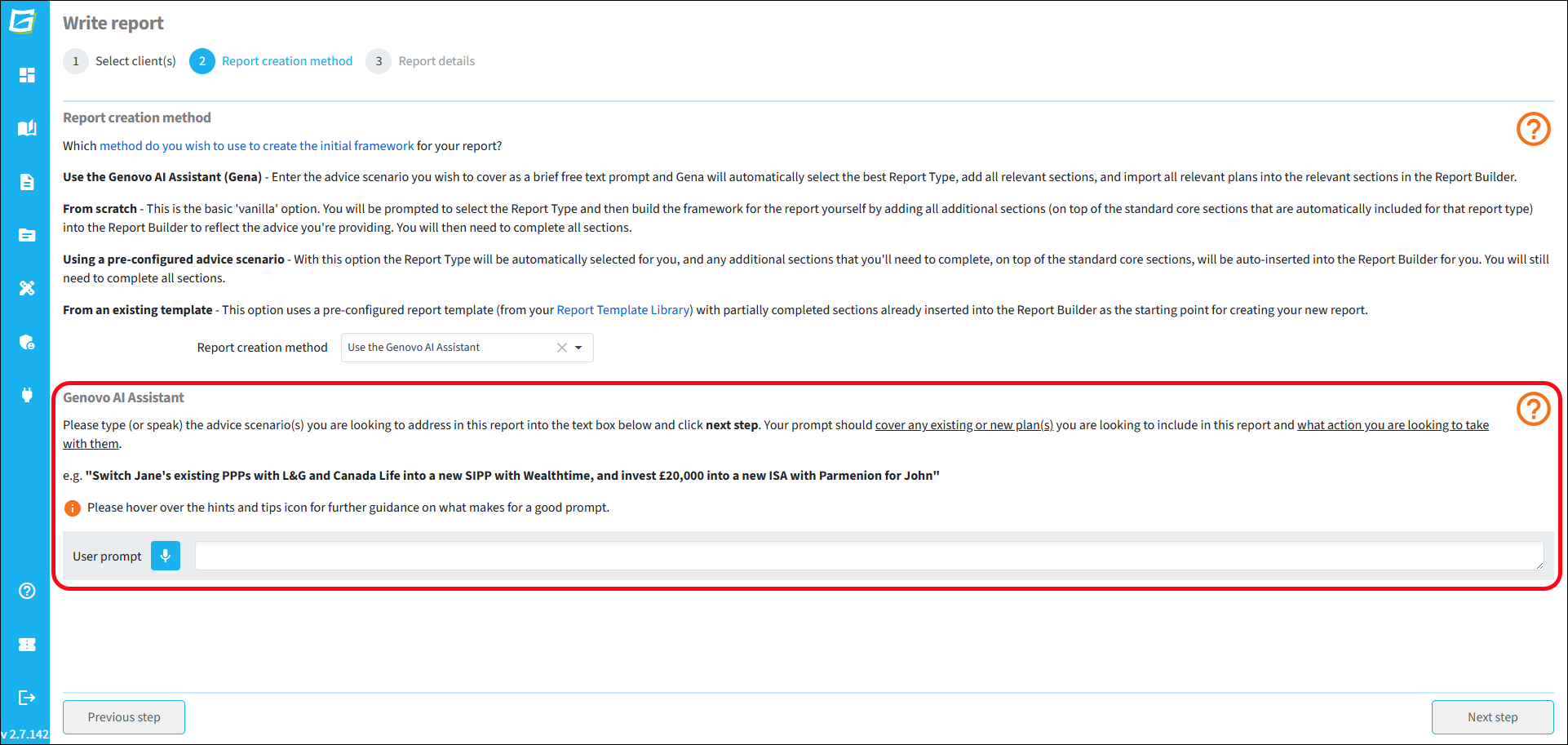
For example on entering the following prompt:
“Switch his existing PPP with L&G and Aviva into a new SIPP with Transact”.
Gena will determine the best Report Type for this advice scenario (a Suitability Report), and automatically insert the required sections (pension review, new pension recommendation and Recommended Investment Strategy) as well as importing the required plans into the appropriate report sections.
Your prompt should always cover any existing or new plan(s) you are looking to include in your report and what action you are looking to take with them. You'll find further information about how to write an effective prompt in this article.
Please note Gena will only import plans with a status of:
- 'Active' / 'In Force' into review sections; and
- 'Draft', 'Proposed' or 'Submitted to provider' into recommendation sections.
Skeleton plans
In instances where Gena is being used to create a report for:
- A non-integrated client; or
- An integrated client but the plan(s) being recommended do not exist in the user’s back-office.
A “skeleton plan” – made up of the ownership, provider and product type – will be automatically created and added into the relevant section, which you can then easily flesh out as required.
See it in action
This video provides a demo the Genovo AI Assistant report creation method.