
Gena document upload is meeting note provider agnostic. It has been designed to work “straight out of the box” with all the leading industry-specific meeting notetakers as well as the more general-purpose AI solutions.
However, if you need Gena to extract information differently for a particular field, you can customise the prompts that drive the extraction process. This provides you with complete flexibility to tailor the outputs to your company’s preferred style and requirements.
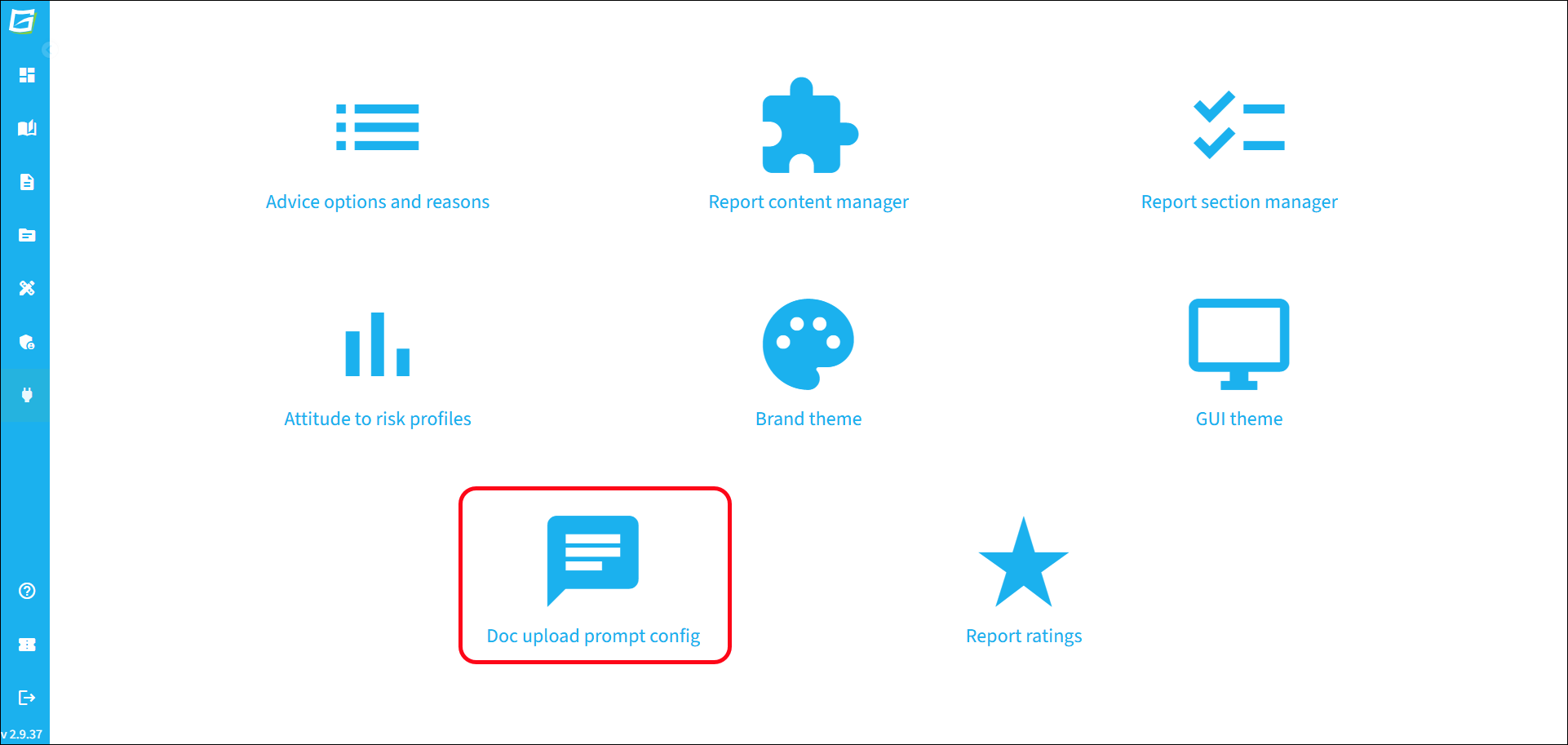
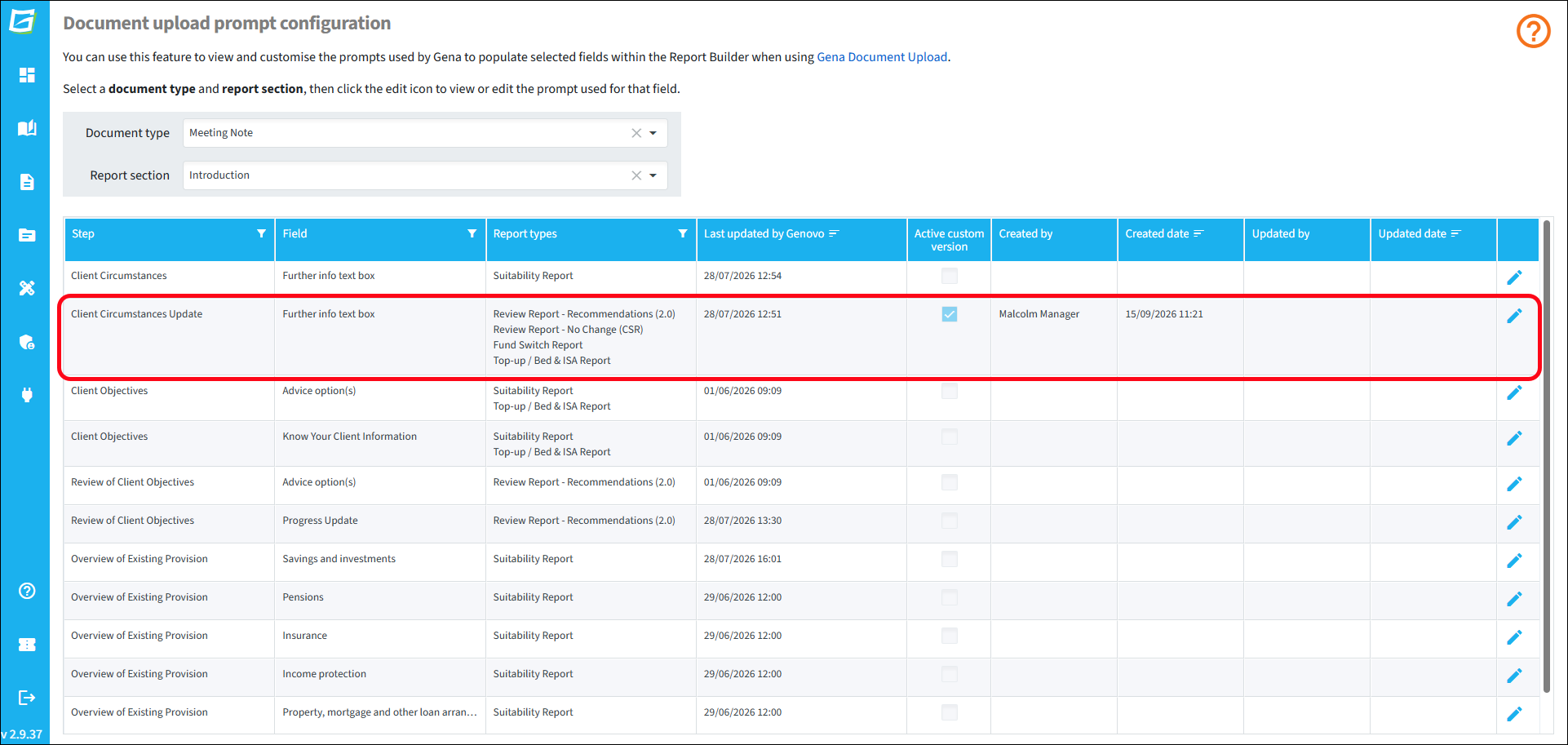
To create a custom prompt for a field, go to Customisation > Doc upload prompt config.
Select the document type and report section containing the field that you want to customise the prompt for.
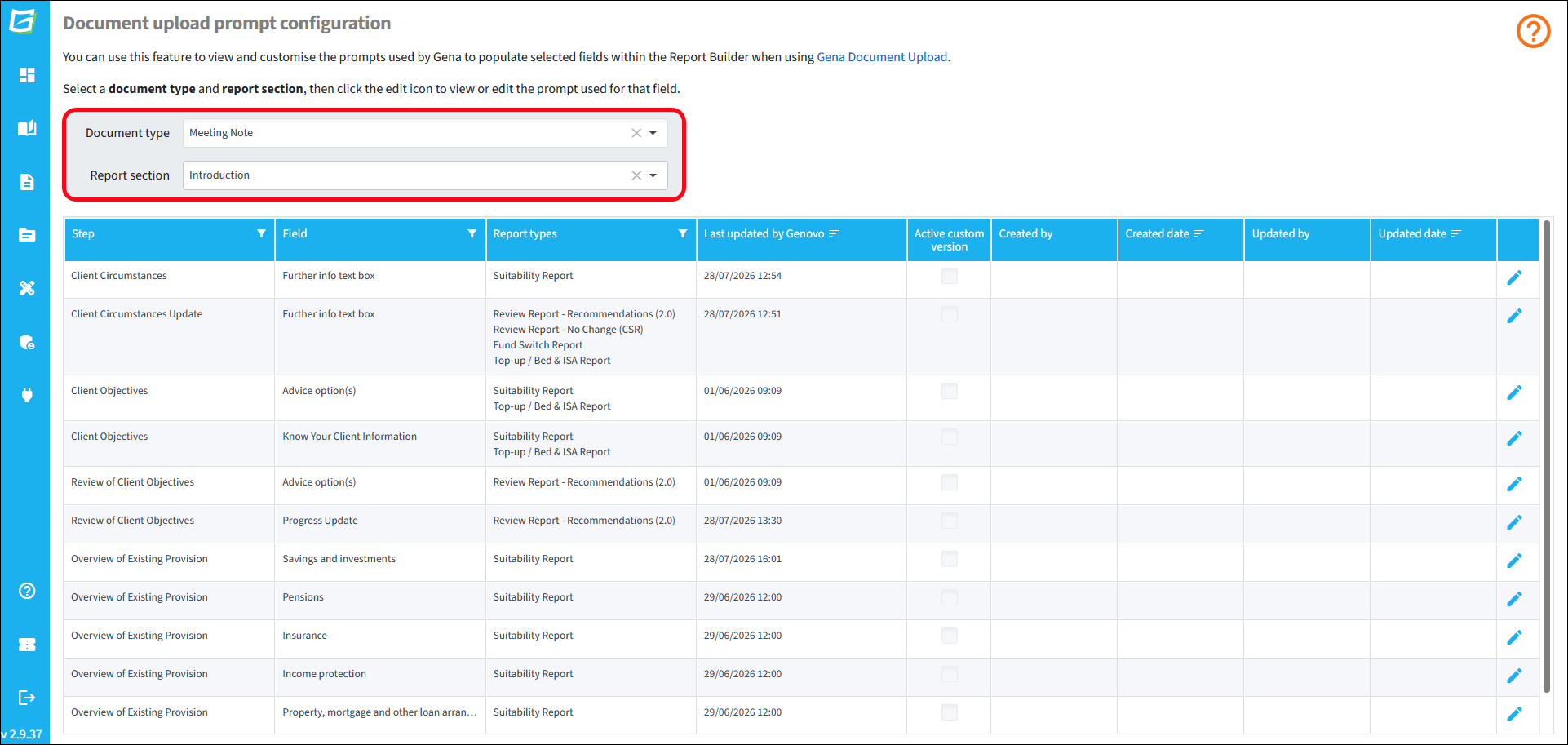
Click the edit icon for the field and a new window will open.
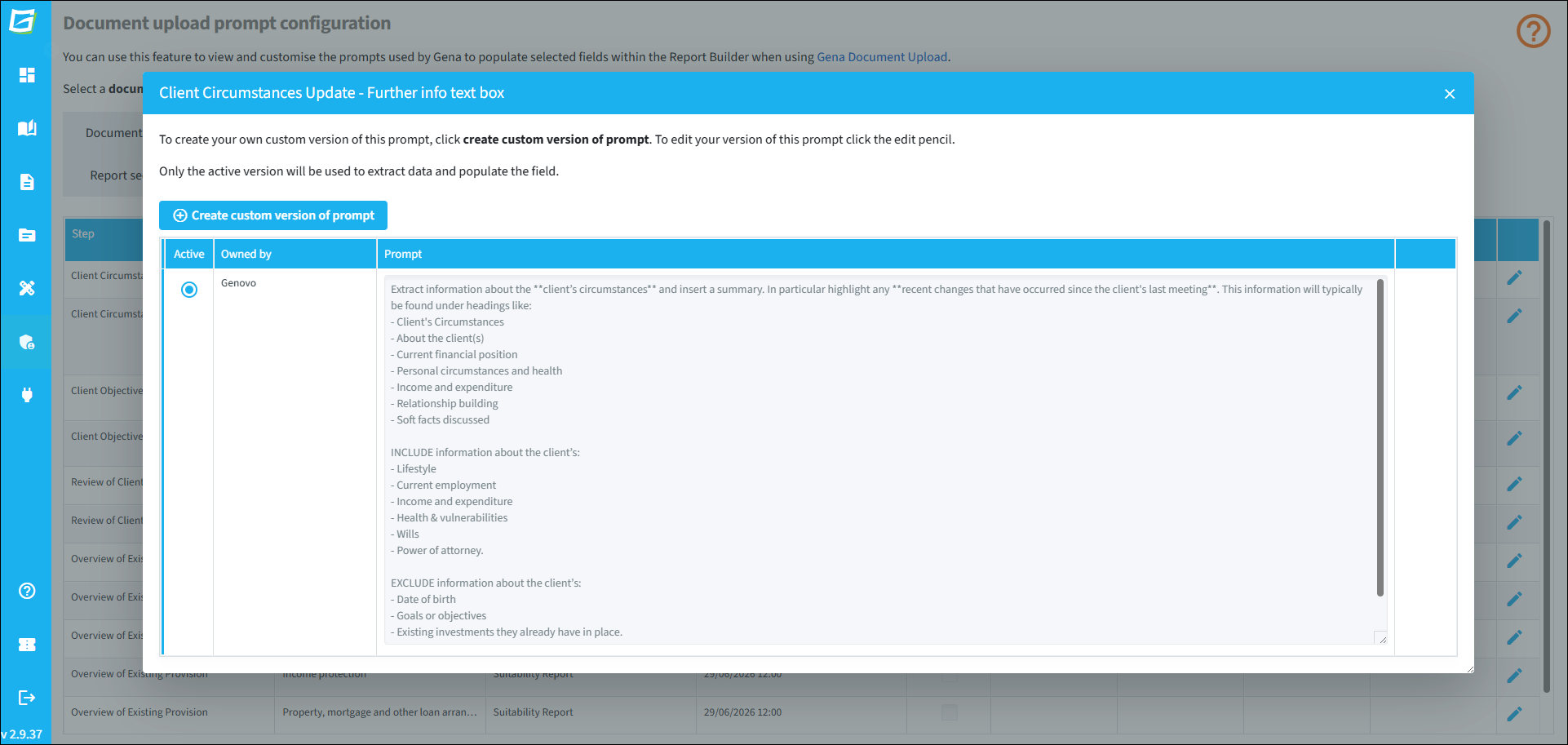
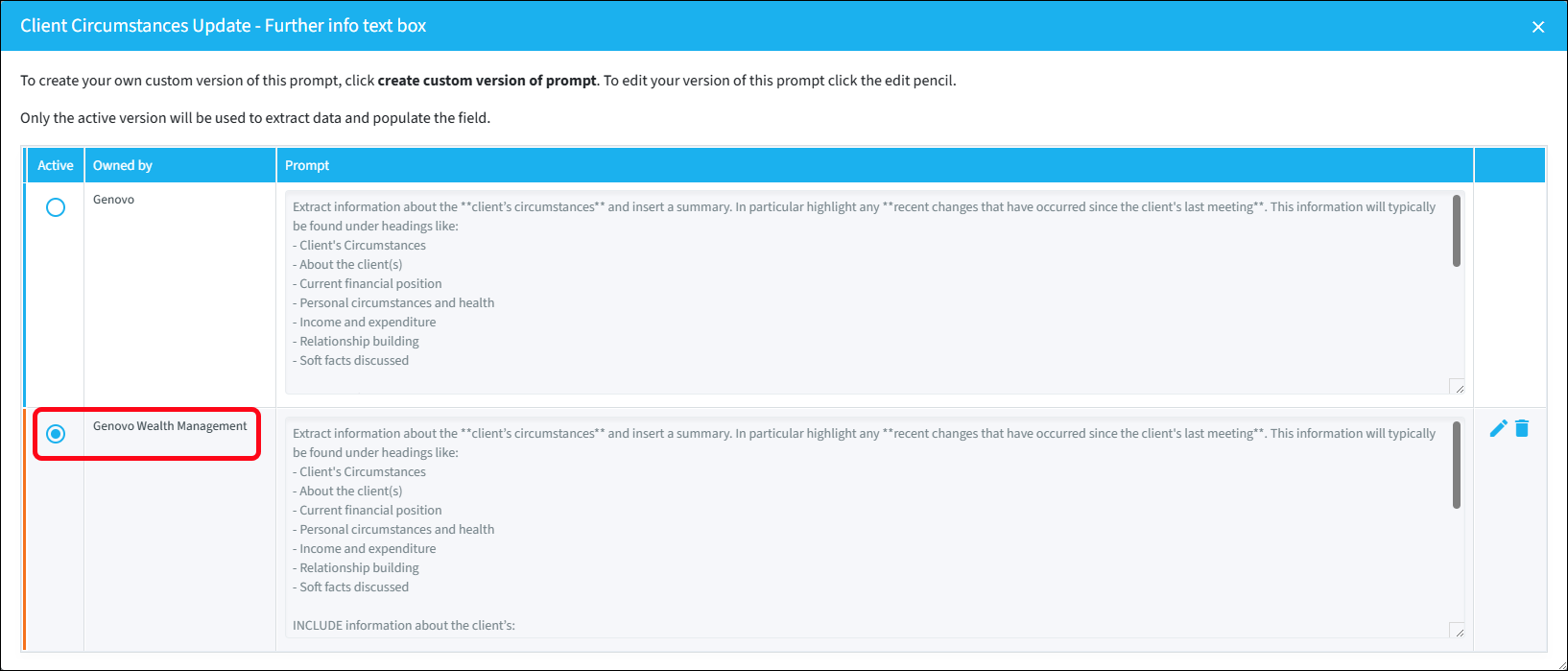
Next, click Create custom version of prompt and an exact copy of the Genovo prompt will open in another window which you can then edit.
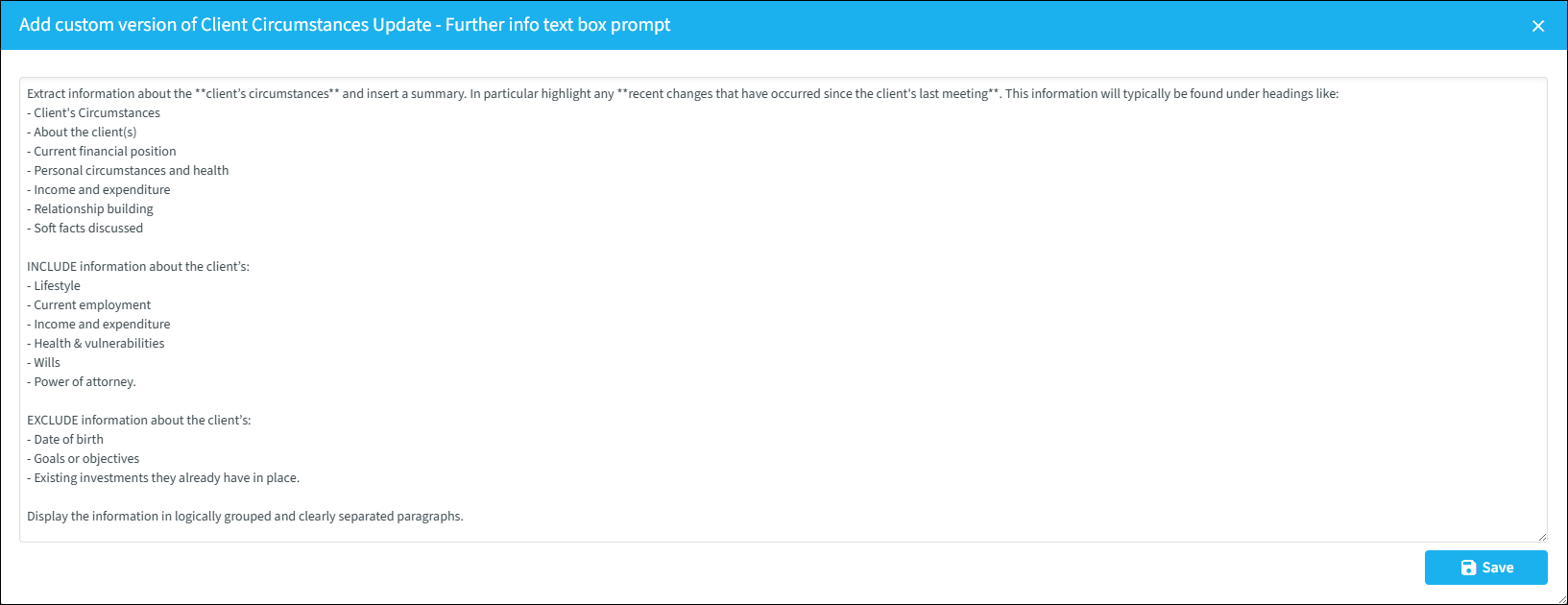
Edit the prompt as required and click Save. Your custom version will be automatically selected as the 'active' version and used to extract data from the uploaded document to populate the field.
On returning to the main overview page, you'll notice that a custom version of the prompt now shows as active, in addition to information about who created and last updated the prompt, and when.
If you ever need to edit or delete your custom prompt, or revert back to the Genovo version of the prompt, simply click the edit pencil and make the changes as required.