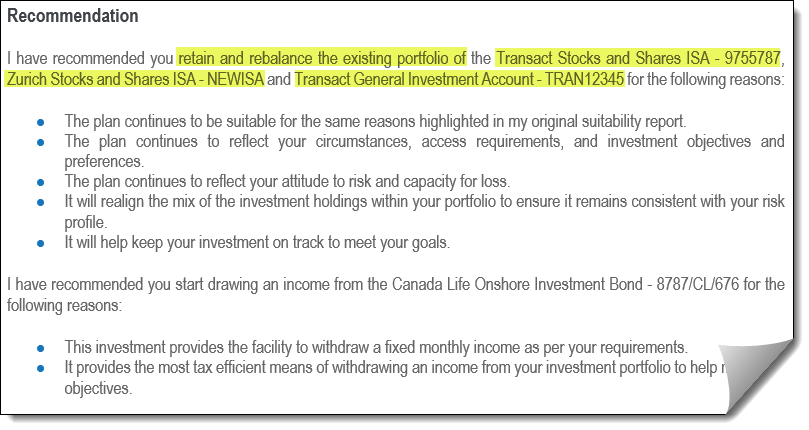
When undertaking a review of a client's existing financial arrangements, it is not uncommon for the recommendations being made and the reason(s) for those recommendations to be identical - or at least very similar - for some, or all of the plans being reviewed.
To save time, Genovo provides the ability to copy the recommended actions and associated advice reasons from one plan, to one or more other plans in the same review section.
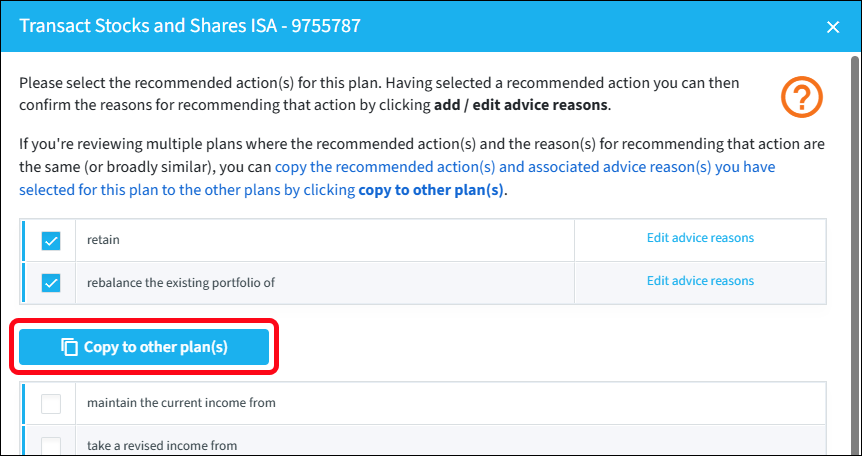
Once you've selected the recommended action(s) and linked advice reason(s) for one plan, click Copy to other plan(s).
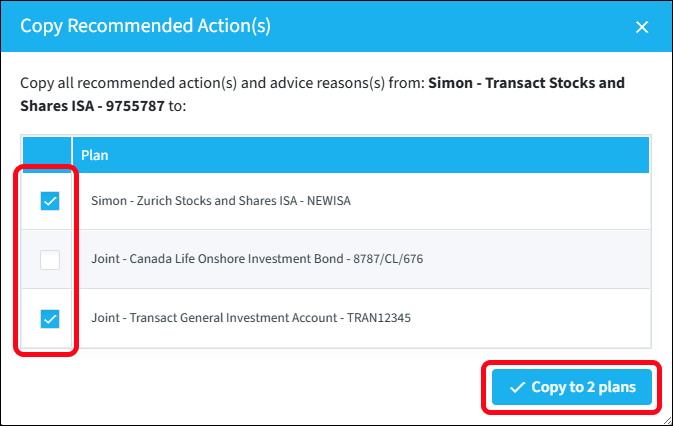
This will generate a new window with a list of all the other plans being reviewed in that section. Select the plan(s) you want to copy the recommended action(s) and linked advice reason(s) to, and click the Copy to n plans button.
This will take an exact copy of the first plan's recommended actions and advice reasons and apply them to the selected plans.
Points of note
- Some recommended actions are not available for all plans (for example, 'transfer' applies to ISAs, but not to GIAs or investment bonds). Only recommended actions that are available via both product types will be copied across.
- Any existing recommended actions / advice reasons that have already been selected will be completely overwritten by the original plan's recommended actions when they are copied across.
- The copied recommended actions and advice reasons can be edited after copying. This is useful when plans have very similar recommended actions, as they can be copied across, then tweaked to suit, thus saving time.
The report output
When multiple plans have exactly identical recommended actions and advice reasons, they are grouped together in the report output to make the report shorter and easier to read. In the example below, the first, second and fourth plans have identical recommended actions and advice reasons:
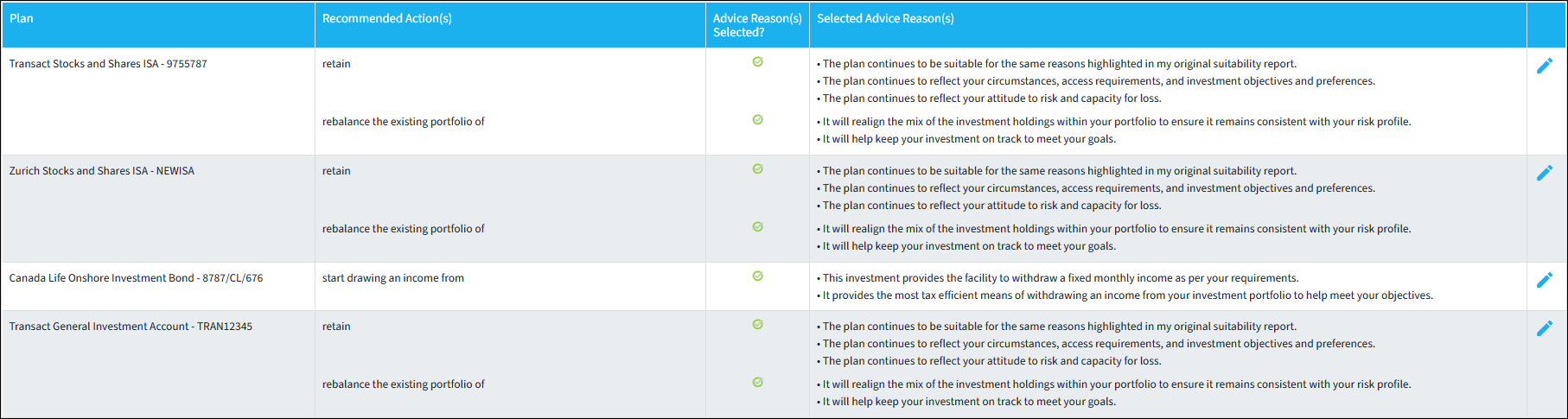
The report output looks like this: